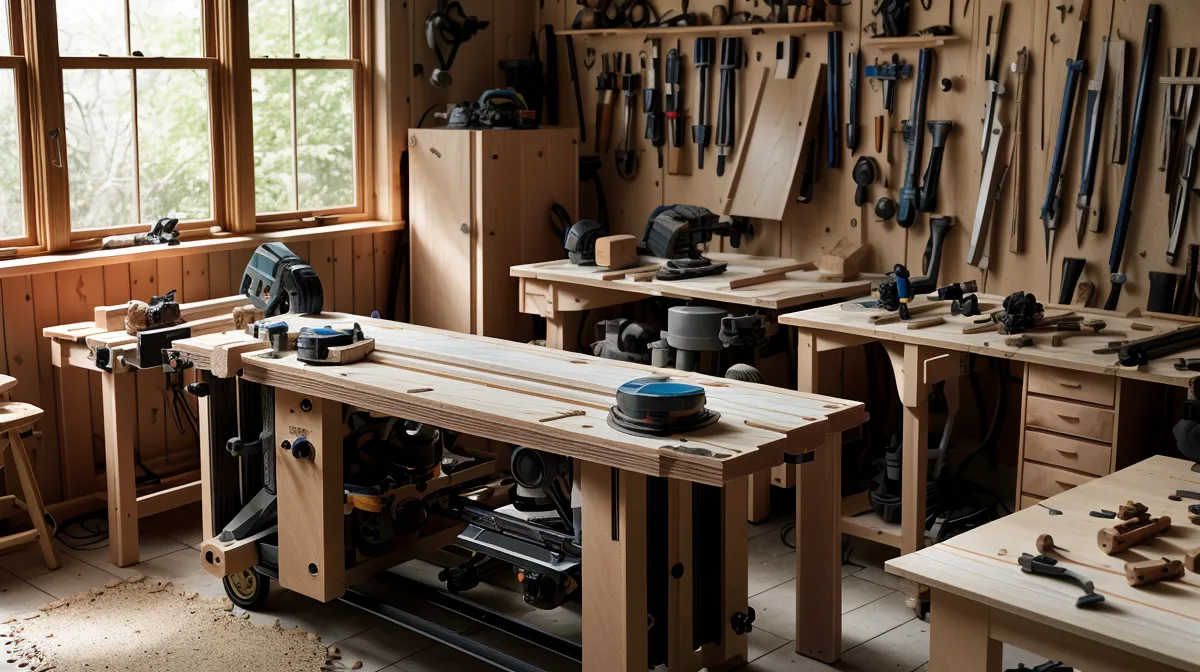
I wondered whether anyone actually needed sixteen thousand woodworking plans, or if that number was just there to make the whole bundle feel like a steal. That question sat with me longer than I expected once I started actually digging through the TedsWoodworking library, because on paper it sounds like exactly the kind of bloated catalog nobody finishes. I've spent months cross-referencing it against a couple of other plan libraries, and against how a friend from my woodworking meetup does things without buying any plans at all.
First, the business side, since it matters for a review like this one: this site runs on affiliate links, and if you buy through one of them I earn a commission at no extra cost to you. Everything mentioned here is something I've actually paid for and used on my own projects — not skimmed off a sales page and dressed up as an opinion.
I started using TedsWoodworking after my first DIY bookshelf turned into a lesson in what happens when you skip the blueprint step entirely — in IT terms, that's shipping code without a spec, and it's the fastest route to a project that's over budget, late, and functionally broken. I've spent real time in the archive since then, trying to decide whether sixteen thousand plans is a genuine resource or just clutter with a checkout page attached.
A 16,000-Plan Woodworking Library Sounds Like Too Much
The number alone is the problem child of this whole review — sixteen thousand plans is the kind of figure that sounds like a legacy database nobody has cleaned out in decades. If I finished one build every single weekend without fail, I'd be long gone before I made a dent in the folder. My wife is patient about garage projects, but she is not several-lifetimes patient, and logging in for the first time feels a little like opening a server closet full of unlabeled cables — impressive, technically, but useless until you get organized about it.
Once you filter past the stuff you'll never build (I'm not carving a wooden clock collection anytime soon), the categories start making sense — Storage Solutions, Workshop Projects, small furniture builds, that sort of thing. Search for something specific, like the drill charging station I put together last spring, and you'll usually find four or five different versions of it, which lets you pick the one that matches the tools actually sitting in your garage instead of the tools a magazine photographer wishes you owned.

Judging Woodworking Plan Quality Before You Touch a Board
Six years into this hobby, I've landed on a short list of things a plan has to do before I trust it enough to actually cut wood based on it. It needs a real material list, not a vague suggestion. It needs a cutting diagram that tells you how to lay pieces out on a sheet instead of guessing and hoping the offcuts add up on their own. And it needs to name the joinery it wants — dado, rabbet, pocket screw, whatever the case — instead of leaving you to improvise at the saw and find out afterward you guessed wrong.
Good documentation goes a step further, too. It calls out wood species instead of just saying "wood," because pine and a proper hardwood behave nothing alike under a chisel. It accounts for wood movement so a wide panel doesn't split apart by its second winter, and it assumes you've already got a stable workbench under the project rather than a wobbly folding table — though none of that will help you with dust control, and it definitely won't organize your shop storage for you. Those are separate problems entirely, and no plan solves them for you.
The Entryway Bench: A Real Test Case
I put that checklist to work in May, building a storage bench for our mudroom to hide the mountain of kids' shoes that otherwise lives by the door. Pulling up the TedsWoodworking bundle, I had a full material list and a cutting diagram before I ever touched the saw, which is a very different Saturday than the ones where I scribble dimensions on a scrap of drywall and hope for the best.
The cutting diagram is where an engineer brain gets genuinely happy about a piece of paper. It reads like a deployment plan for a sheet of lumber — lay this piece here, that one there, minimize the waste — and following it, I got the entire bench frame out of one sheet of birch ply with barely a scrap left over. When the first corner came together, I held it up to the shop light out of habit, and there was no gap and no sliver of light through the seam — just a clean forty-five-degree miter that told me the numbers on the page were actually right.
Of course I still found a way to mess it up. I mounted the internal divider backward because I wasn't paying attention to which way the grain ran, which turned into a frustrating half hour with a rubber mallet and language I won't repeat here. The plan itself held up fine — the mistake was entirely mine, the same way it was when I built a mobile tool cart off a different set of instructions and still found a way to skip a step.
That kind of structure is also what keeps "feature creep" out of a weekend build — a term I stole straight from work, where a project that started as a simple bench somehow grows a shoe cubby, a coat hook rail, and a cushion nobody asked for. My neighbor Marcus treats a six-pack of something local as his unofficial cover charge for wandering into the garage, and even he noticed the difference between a project with a real plan behind it and the ones where I'm making it up as I go.
Downloaded Plans vs. Graph Paper: Two Ways to Get the Same Cut
Not everyone in my orbit buys plans at all. Theo Buraczewski, who I know through our woodworking meetup, draws every one of his projects by hand on graph paper before he'll let a board near a saw, and he won't reach for a power tool until he's convinced hand tools can't do the job faster. His plans are dimensioned as precisely as anything in a paid library — they're just slower to produce, and they only exist in his own handwriting.
Compare the two approaches side by side and the trade-off gets obvious fast. Theo's hand-drawn sheets are custom to his exact bench, his exact clamps, his exact stock on hand — there's no translating a generic plan to fit a smaller garage or a shorter board than the one specified. A downloaded plan trades that custom fit for speed: you're not spending an evening drafting before you've cut a single piece, and you get a whole library of options instead of one project at a time. Neither approach is wrong. They're solving different problems — his is a design exercise, mine is closer to pulling a part number off a shelf.
Where the Documentation Still Falls Short
The interface hasn't caught up to the plan quality, and it shows. Logging in feels closer to an old intranet page than a modern app, and some of the older plans in the archive look like they were scanned straight out of an eighties shop magazine — still usable, just visually stuck in another decade. You have to dig a little to find the cleaner, newer PDFs, but they're in there once you know to look for them.
None of that documentation, old or new, will stop you from making your own mistakes, either. I skipped the wood conditioner on a pine project once because the plan didn't flag it as necessary, and ended up with a blotchy, streaky stain job that looked like it came out of a middle-school shop class. That one wasn't the plan's fault. Finishing prep is still on you, no matter how good the cut list is.
TedsWoodworking, My Shed Plans, or Self Sufficient Backyard — Which One Do You Actually Need?
If your projects live indoors — furniture, storage, workshop builds — the sheer size of the Ted's library stops being a downside and starts being the point, since you're never stuck with just one version of an idea. My Shed Plans is the better call if you're planning something structural in the backyard instead, since it leans into foundations and permit questions that a furniture-focused library only touches in passing.
Self Sufficient Backyard is a different animal again — less fine furniture, more functional homestead projects, the kind of resource I leaned on when I was working through a suburban chicken coop build earlier this year. Pick it when your goal is a working backyard setup rather than a piece you'd actually invite people to sit at. Pick Ted's when you want the widest possible net for indoor projects and don't mind doing a little filtering to find what you need.
None of this replaces learning to actually cut a joint, either — there's still a real skill curve to something as basic as a miter joint, and no PDF does that part for you no matter how detailed the diagram is. But between a badly-explained free plan and a library that at least spells out the material list and the joinery up front, the paid version keeps earning its keep the first time it saves you from ruining a good piece of stock.
My entryway bench is still standing under a pile of boots and a bag of water-softener salt, which by my standards counts as a successful deployment. If you're tired of guessing at dimensions and want a real shot at finishing a project without three extra trips to the hardware store, grabbing the TedsWoodworking bundle is the least painful way to get there. Your garage — and whoever has to look at what comes out of it — will notice the difference.